How to Count Words Correctly for Essays and Social Media
1. Introduction: Why Word Counts Matter
Whether you are an undergraduate student drafting a competitive admissions essay, a freelance journalist writing for a paid publication, or a digital marketer writing Google Ads copy, word and character limits represent rigid boundaries. In academic spheres, surpassing a strict 1,000-word cap can result in immediate grade deductions or outright disqualification. Conversely, submitting an under-length submission often conveys superficial research.
However, writers frequently discover a frustrating puzzle: why does a manuscript register as 742 words in Microsoft Word, 748 words in Google Docs, and 735 words in an online submission form? Understanding how digital algorithms tokenize strings into discrete words is essential for anyone who writes professionally.
2. How Computer Algorithms Count Words
To human eyes, a word is an intuitive concept: a sequence of letters representing a distinct unit of spoken or written language. For a computer, however, text is simply a stream of binary bytes representing ASCII or Unicode character codes. Programs do not "understand" language meaning; they rely on regular expression tokenization.
The standard programmatic definition of a word boundary relies on whitespace delimiters. Whenever an algorithm encounters a space (\u0020), a tab (\t), a newline (\n), or a carriage return (\r), it considers the preceding contiguous sequence of characters as a single word token. When multiple consecutive spaces occur between words, robust counting tools—like our free Word & Character Counter—collapse redundant whitespace prior to splitting the text, preventing accidental inflation of your word totals.
3. The Hyphen & Punctuation Dilemma
The greatest divergence between software programs involves compound words connected by hyphens and slashes. Consider the phrase "state-of-the-art" or "client/server". How should software treat them?
- Microsoft Word: Evaluates hyphenated compounds as a single word if no spaces surround the hyphen. "State-of-the-art" is tabulated as 1 word.
- Google Docs: Treats hyphens similarly to Word, counting uninterrupted hyphenated compounds as 1 word. However, if an em-dash (—) without spaces is used, Google Docs occasionally splits the adjacent phrases into two words.
- Academic Application Portals: Many university submission systems (such as the Common Application) use simplistic delimiter algorithms that treat any non-alphanumeric punctuation as a word break, turning "state-of-the-art" into 4 separate words.
If you are hovering near a strict maximum ceiling on an application portal, replace hyphenated constructions with unhyphenated alternatives or rephrase your sentence to prevent unexpected truncation.
4. Characters With Spaces vs. Characters Without Spaces
In many professional translation contracts, European publishing standards, and paid writing markets, pricing and length constraints are calculated by character count rather than word count. But why are there two distinct metrics?
Characters with spaces measures the total physical typographic footprint of your document. In print typesetting, a space character requires the same horizontal kerning width as a period or comma. Measuring total characters allows book designers to accurately calculate the exact number of physical pages needed to print a manuscript.
Characters without spaces measures purely linguistic content. If an author accidentally pads their sentences with double spaces or orphan tabs, measuring characters without spaces ensures the core substance of the document is fairly evaluated. You can automatically sanitize your text of double spaces using our Whitespace Remover before submitting your work.
5. Word Count Benchmarks for Academic Essays
In academic writing, target word counts depend directly on the level of study and rhetorical format. As a general academic rule of thumb, most institutions allow a variance margin of ±10% unless an explicit hard cap is specified:
- College Admissions Statement (Common App): 250 to 650 words. The online system strictly disallows submissions exceeding 650 words.
- High School Literary Essay: 800 to 1,200 words (typically 3 to 4 double-spaced pages).
- Undergraduate Research Paper: 2,000 to 3,500 words (including literature review, citations, and analytical methodology).
- Master's Thesis Chapter: 6,000 to 10,000 words per chapter.
7. Practical Tips to Trim or Expand Word Counts
If you find yourself 150 words over a strict essay limit, do not randomly cut vital arguments. Follow these surgical editorial techniques:
- Eliminate Passive Voice: Replacing "The experiment was conducted by the research committee" (8 words) with "The committee conducted the experiment" (5 words) saves 37% without losing meaning.
- Prune Filler Phrases: Phrases like "in order to" can always be shortened to "to". Phrases like "due to the fact that" become "because".
- Inspect Keyword Densities: Use our Word & Character Counter to identify recurring words that dominate your prose, replacing repetitive explanations with concise terminology.
Conversely, if your draft falls short of a minimum requirement, expand your content through supporting empirical evidence, real-world case studies, and counterargument refutation rather than adding decorative fluff.
8. Conclusion & Next Steps
Accurate word and character counting is an essential skill for modern digital communicators. Understanding how algorithms process spaces, hyphens, and punctuation empowers you to write with precision and submit documents with confidence. Remember to always audit your final text using a private, client-side tool to avoid discrepancies across platforms.
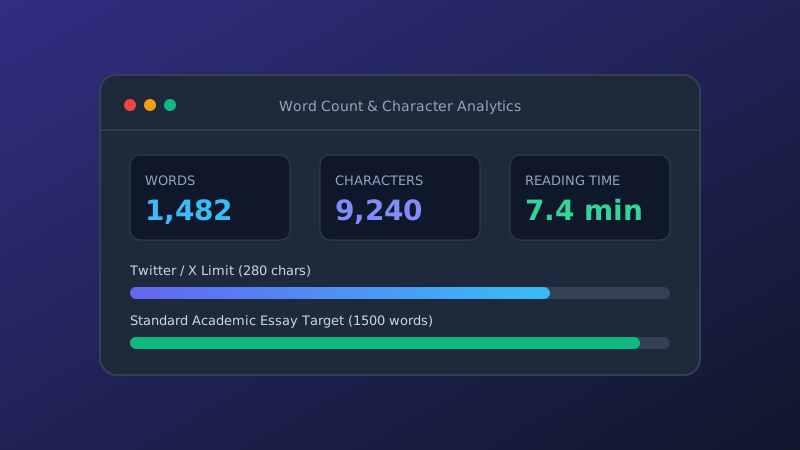
Ready to analyze your draft? Launch our fast, free Word and Character Counter to check your words, character densities, and reading durations in real time.
Written by the ollrite Tools Editorial Team
We develop free, browser-based text utilities and write educational tutorials focused on software development, digital publishing, and online text optimization. Questions or suggestions? Reach us directly at info@ollrite.com.
6. Strict Character Limits on Social Media Networks
For digital marketing managers and social media creators, character count limits are non-negotiable hard caps enforced programmatically by platform APIs: